
Compatibility
Minecraft: Java Edition


Links
Tags
Creators
Details
Enchantment Glows is a Minecraft resource pack that improves the enchanted glint on tools and weapons with a glowing effect, giving them a more vibrant and stylish look.
Works fully in Vanilla Minecraft 1.21.4 - 26.3, no mods required.
Showcase

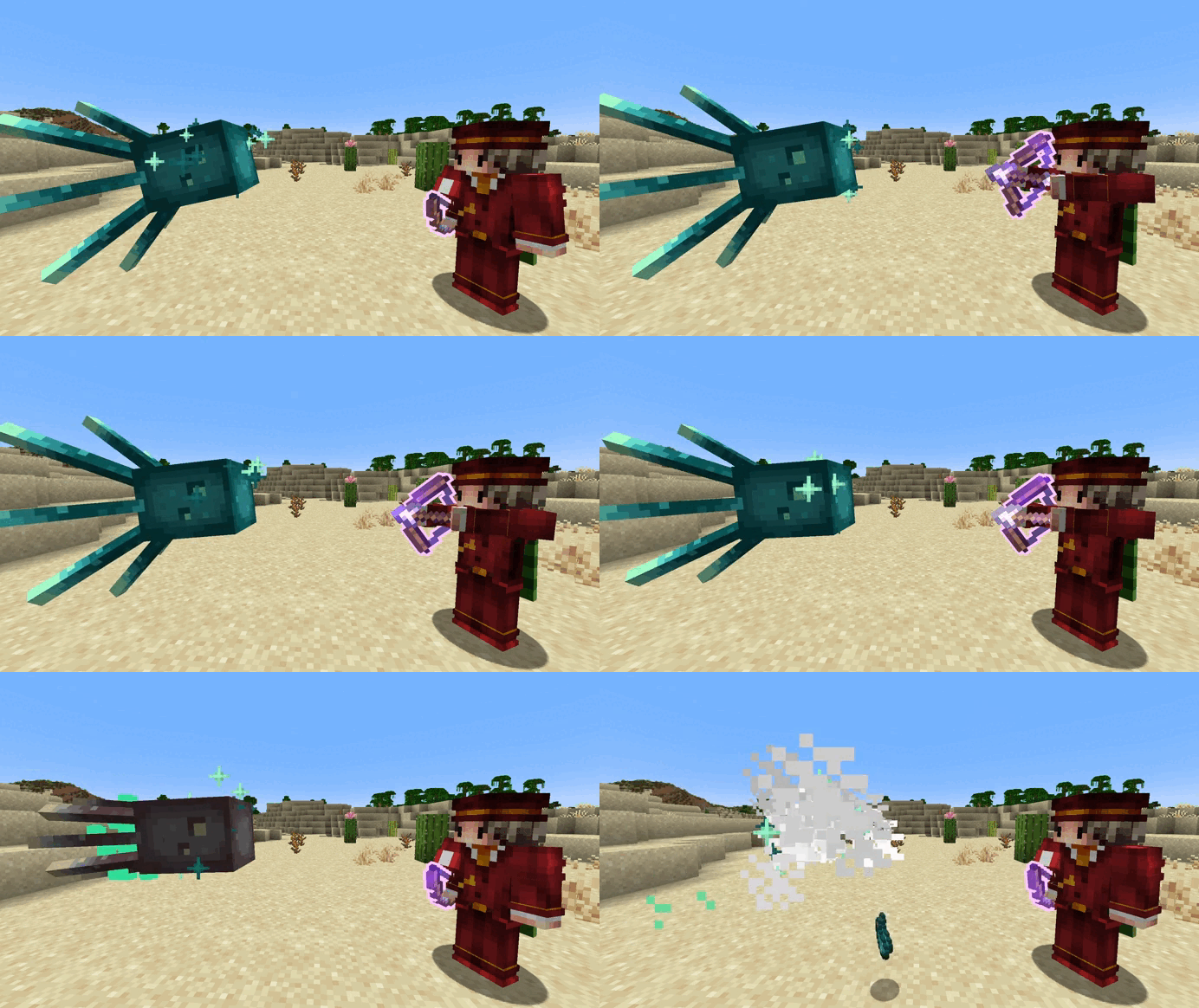

Enchanted Items
Tools
- Pickaxes
- Axes
- Shovels
- Hoes
Weapons
- Swords
- Spears
- Mace 3D
- Bow
- Crossbow
- Trident 1.21.4+
Projectiles
- Spectral Arrows
- Arrows and Tipped Arrows
- Firework Rockets
Other
- Shield 1.21.4+
- Compass 1.21.4+
- Totem of Undying
- Fishing Rods
The Lodestone Compass and the Totem of Undying glow without needing an enchantment. Bow and crossbow projectiles have their own textures.
Customization

You can install the Respackopts mod to customize the glow color, the outline thickness and more, in game.
Shader Compatibility
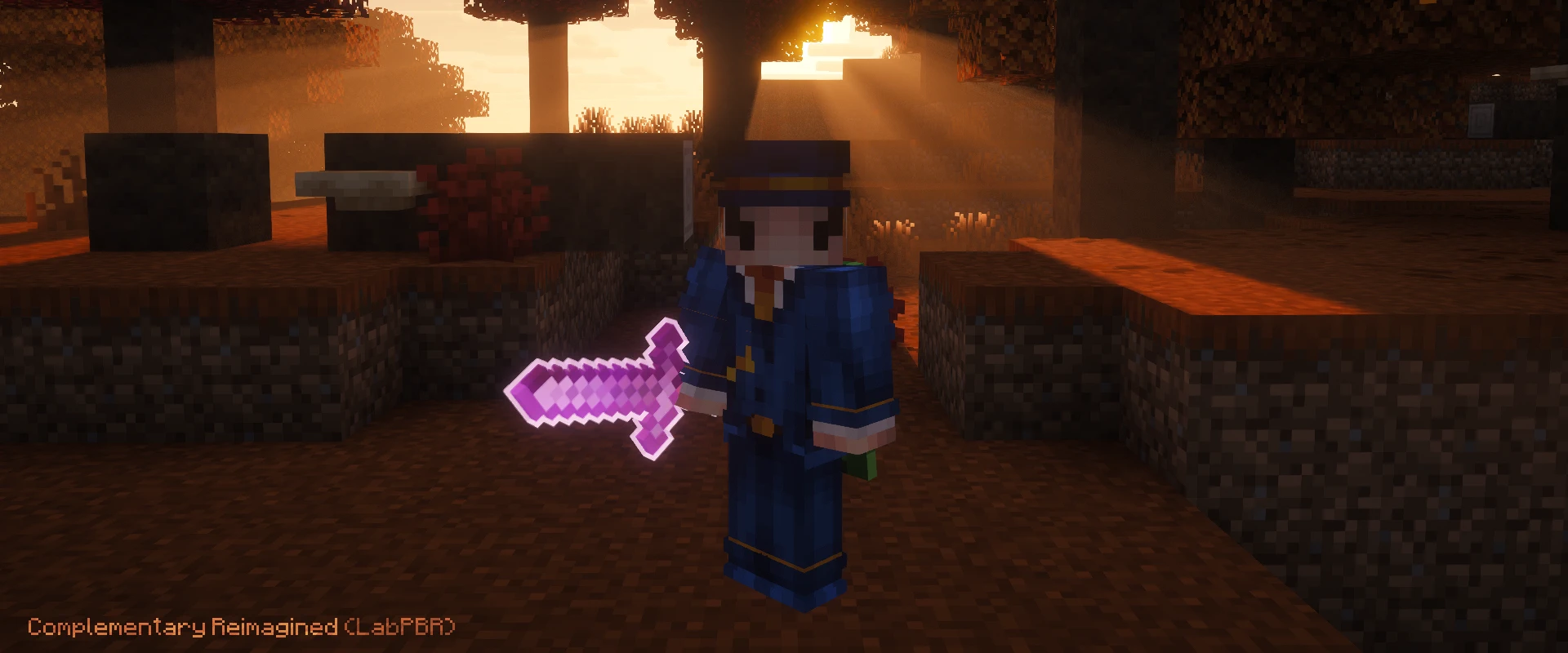
Enchantment Glows has some compatibility with shader packs, but I can't guarantee it works with all of them, since each one works differently.
It works best with shader packs that support LabPBR. Make sure LabPBR is enabled in the shader pack settings.
LabPBR compatibility has been tested with these shader packs.
- Complementary Reimagined/Unbound
- BSL
- Photon
- Bliss
- Solas
Older Versions
Minecraft versions below 1.21.4 require CIT Resewn.
FAQ
Do I need any mod to use it?
No. On Minecraft 1.21.4 and newer the pack works in plain vanilla. Older versions need a mod that adds the Custom Item Textures feature, such as CIT Resewn, Forge CIT or Modefite.
Which mod loader does it work on?
Any of them. This is a resource pack and not a mod, so Fabric, NeoForge, Forge, Quilt and plain vanilla all behave the same. Only the extra mod for older versions changes per loader, CIT Resewn on Fabric and Forge CIT on Forge.
The pack does not seem to work, what should I check?
- You are playing Minecraft Java and not Bedrock
- You downloaded the file that matches your Minecraft version
- On versions below 1.21.4 you have CIT Resewn or another CIT mod installed
- No other resource pack sitting above Enchantment Glows changes the same items
Does the glow apply to armor?
The 3D glow is built for tools and weapons only, so armor gets no outline. The enchantment glint on armor is recolored by the Glow Color setting (respackopts), so it still follows the color you pick.
Does it work with modded tools or with other resource packs?
No. The pack only covers vanilla items. Tools added by mods keep their own look, and any resource pack placed above this one overrides the items it also changes.
Can I turn off the 3D mace, shield or totem?
Yes, with Respackopts. Each one switches between 2D and 3D, and the totem can also go back to vanilla. Without Respackopts the pack ships with the 3D models enabled.
Does it work with shaders?
It does. Enchantment Glows works best with shader packs that support LabPBR, and it has been tested with Complementary Reimagined and Unbound, BSL, Photon, Bliss and Solas. On BSL and Solas it looks better with Advanced Materials enabled.
Not every shader pack is compatible, since each one works differently. Without LabPBR the glow on tools sometimes still looks right, but that isn't guaranteed, and in some shader packs the outline may still cast a shadow. The shadow can't be fixed from the resource pack side.
LabPBR compatibility can be turned off with the Shader Glow option in the Respackopts configuration.
What mod makes the item animations in the showcase?
Hold My Items. Punchy works too and is updated more often. Neither is required, they only change how items are held.
Is there a Bedrock version?
No. The pack is made for Minecraft Java only.
Credits & Links
- Inspired by Actions & Stuff
- Available on CurseForge and Modrinth
- Found a bug or have a suggestion? Open an issue on GitHub
